
Introduction
Mobile gaming remains one of the most accessible areas of game development.
With millions of people playing games on Android and iOS devices, beginners and independent developers have plenty of opportunities to create and publish their own games.
However, choosing the right game engine can be challenging, especially for someone who is just starting.
For many beginners, Godot for mobile games is an attractive option because the engine is lightweight, open-source, beginner-friendly, and capable of creating both 2D and 3D games.
Godot also provides an intuitive editor, a simple scripting language, and a workflow that allows developers to experiment without dealing with unnecessary complexity.
In this guide, we will explore why Godot for mobile games can be a good choice for beginners and indie developers.
We will discuss its features, mobile performance, 2D and 3D development capabilities, scripting, Android development, iOS development, optimization, publishing, and the advantages and limitations developers should understand before starting.
Why Godot Is Suitable for Beginners
Godot is a free, open-source game development engine that allows developers to build both 2D and 3D games with flexibility and ease.
It provides developers with tools for graphics, physics, animation, audio, user interfaces, scripting, scenes, and project management.
One reason Godot for mobile games has attracted attention is that developers can use the engine without paying licensing fees or subscribing to an expensive development plan. This is particularly useful for indie developers working with limited budgets.
Godot uses a scene-based development system. Instead of putting everything into one large project structure, developers can create reusable scenes containing different game elements.
A player, enemy, menu, level, or weapon can each be organized as its own scene.
Godot also includes GDScript, a lightweight programming language created specifically for game development within the Godot engine.
Its syntax is relatively easy to understand, making it suitable for people who have little or no programming experience.
What Is Godot Engine?
Learning game development can initially feel overwhelming. Beginners have to understand programming, game design, animation, physics, UI design, asset management, and optimization.
A complicated development environment can make this learning process even harder.
This is where Godot for mobile games can be especially useful.
The editor provides many essential tools in a relatively straightforward interface, allowing beginners to focus on learning game development instead of configuring complicated systems.
Another advantage is that Godot has extensive documentation and a growing community.
Beginners can find tutorials and examples covering topics such as player movement, collision detection, menus, animation, mobile controls, and game optimization.
The engine also allows beginners to start small. A new developer can create a simple 2D platformer, puzzle game, arcade game, or endless runner before moving toward more complex projects.
Godot for 2D Mobile Game Development
For many mobile developers, 2D games are the easiest place to start.
Puzzle games, platformers, card games, arcade games, top-down adventures, and casual games can often be developed efficiently using 2D tools.
The 2D workflow is one of the strongest reasons Godot is popular among beginners.
Godot includes nodes and tools specifically designed for sprites, animation, cameras, collision detection, tilemaps, particles, and user interfaces.
Developers can import images and sprite sheets, create animations, design levels, and implement gameplay logic without needing a large collection of external tools.
For example, an indie developer could create a simple platformer using a character scene, collision shapes, animated sprites, platforms, enemies, collectibles, and a camera.
Each component can be organized and reused throughout the project.
This scene-based approach can make development easier to understand and maintain.
Can Godot Create 3D Mobile Games?
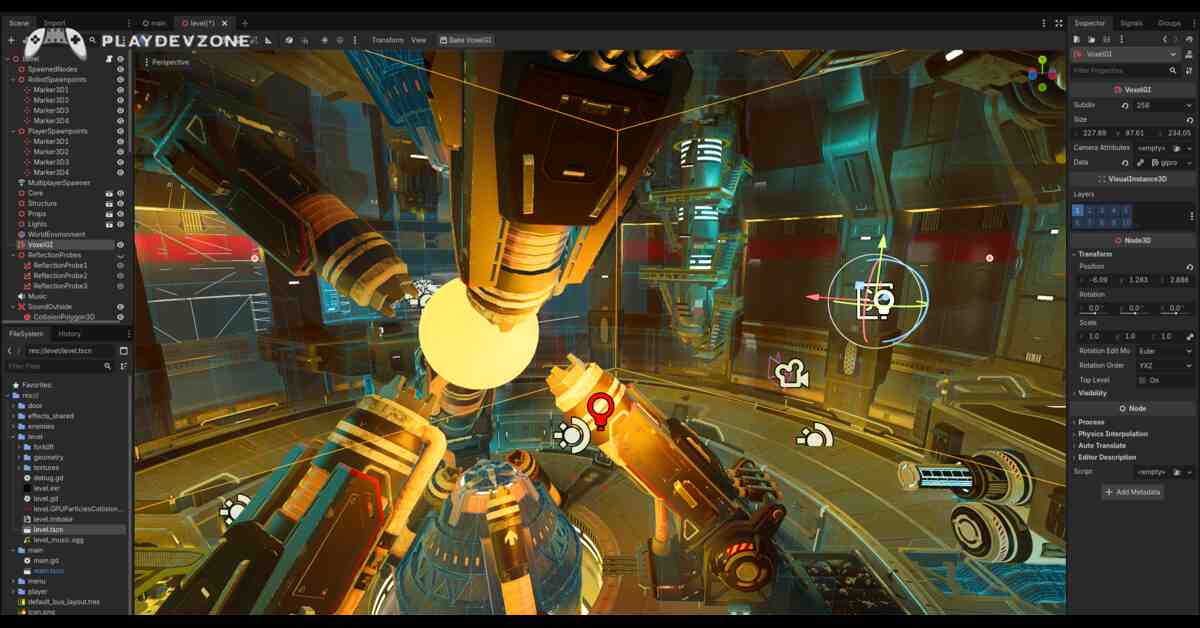
Yes. Godot also supports 3D game development. Developers can create environments, characters, lighting systems, cameras, physics interactions, animations, and other 3D elements.
However, mobile 3D development requires more careful optimization than simple 2D development.
Mobile devices have different hardware capabilities, and excessive graphical complexity can reduce performance.
For developers considering Godot for mobile games, starting with a small 3D project is usually better than immediately attempting a large open-world game.
A simple 3D runner, low-poly adventure, racing prototype, or small action game can be a good learning project.
GDScript Makes Development Easier
Developers can use GDScript to control player movement, enemies, health systems, scoring, menus, game states, inventory systems, saving, and many other gameplay features.
For someone exploring Godot for mobile games, GDScript can provide a smoother introduction to programming concepts such as variables, functions, conditions, loops, signals, and object-oriented programming.
Godot also offers additional programming options, such as C#, allowing developers to choose the language that best suits their project needs and supported platforms.
Beginners can start with GDScript and later explore other options as their skills grow.
Mobile Touch Controls
Mobile games require controls designed for touchscreens rather than keyboards and mice.
Godot provides UI and input tools that developers can use to create virtual buttons, touch areas, swipe controls, drag interactions, and other touchscreen interfaces.
When developing Godot for mobile games, developers should design controls around the size and orientation of the target device.
Buttons should be large enough to tap comfortably, while important controls should not interfere with gameplay.
For example, a mobile platformer might use left and right movement buttons with a jump button on the opposite side of the screen.
An action game might use a virtual joystick combined with attack and ability buttons.
Testing these controls on an actual smartphone is extremely important because something that feels comfortable in an editor may feel very different on a small touchscreen.
Android Game Development With Godot
Android is one of the most important platforms for mobile game developers. Godot supports Android export, allowing developers to prepare projects for Android devices.
The general workflow involves configuring the Android development environment, setting the appropriate project settings, testing the game, creating an Android build, and preparing the application for distribution.
For beginners using Godot for mobile games, it is a good idea to test on a physical Android device regularly instead of relying exclusively on the desktop editor.
Desktop performance can be misleading. A game that runs perfectly on a powerful computer may experience frame-rate problems on an entry-level smartphone.
Testing early helps developers identify performance issues before the project becomes too large.
iOS Game Development
Godot can also be used for iOS game development.
However, Apple's development requirements mean that developers need to understand the relevant Apple tools, certificates, provisioning, and publishing process.
For developers targeting both Android and iOS, Godot for mobile games can simplify development by allowing much of the gameplay logic and project structure to remain shared between platforms.
Nevertheless, cross-platform development does not mean that every platform behaves identically.
Developers should test controls, screen layouts, performance, audio, and other features on the actual target devices.
Performance and Mobile Optimization
Performance is one of the most important considerations in mobile game development.
Smartphones have limited processing power, memory, battery capacity, and thermal headroom compared with desktop gaming computers.
Using Godot for mobile games successfully requires developers to think about optimization from the beginning.
Some useful optimization practices include:
- Reducing unnecessary draw calls.
- Using appropriately sized textures.
- Avoiding excessive real-time lighting.
- Limiting complex particle effects.
- Reducing unnecessary physics calculations.
- Reusing assets where possible.
- Optimizing scripts and expensive operations.
- Testing on lower-end devices.
- Keeping scenes and systems organized.
- Monitoring memory usage and frame rate.
Optimization should not be treated as something that happens only after the game is finished.
Designing with mobile hardware limitations in mind can prevent major problems later.
Godot for Indie Developers
Indie developers often work with small teams or alone. Budget, time, and technical resources can therefore be significant limitations.
One of the biggest benefits of Godot for mobile games is its accessibility. Developers can download and use the engine without purchasing an expensive commercial license.
This makes Godot particularly attractive to hobbyists, students, solo developers, and small studios.
An indie developer can use Godot to prototype an idea, develop a complete game, test it on mobile devices, and prepare it for distribution without needing a large development team.
The open-source nature of Godot is another important advantage. Developers can inspect the engine's source code and participate in its development.
Godot vs Unity for Mobile Games
Unity is one of the most established game engines and has a large ecosystem of assets, tutorials, plugins, and development tools. It remains a powerful choice for many mobile developers.
However, Godot has several advantages for beginners. Its editor is lightweight, its open-source model is appealing, and its scene and node system can be easy to understand.
When comparing Godot for mobile games with Unity, developers should consider their experience, project requirements, preferred programming language, available assets, and long-term goals.
Unity may be preferable for developers who need access to a very large commercial ecosystem or specific third-party technologies.
Godot can be attractive for developers who prioritize simplicity, open-source development, and lightweight workflows.
There is no single engine that is perfect for every project.
Godot vs Unreal Engine for Mobile Development
Unreal Engine is known for high-quality graphics and advanced 3D development. It is an excellent choice for developers creating visually demanding games.
However, beginners developing a small mobile game may not need all of Unreal's advanced features.
For lightweight projects, Godot for mobile games can provide a simpler development environment.
Godot is particularly appealing for 2D games and smaller 3D projects where ease of development is more important than achieving extremely advanced graphics.
Developers should choose an engine based on the actual requirements of their game rather than simply selecting the engine with the most features.
Building a Simple Mobile Game in Godot
A beginner can follow a straightforward development process when creating a mobile game.
First, choose a simple game concept. A small arcade game or platformer is easier to complete than a large multiplayer RPG.
Next, create the basic project and establish the main scene. Add the player, environment, camera, and basic gameplay systems.
After that, implement controls. For mobile devices, touchscreen input should be considered from the beginning.
Then add gameplay mechanics such as enemies, collectibles, scoring, health, levels, and menus.
Once the core game works, focus on graphics, audio, animation, and user interface improvements.
Finally, test the game on multiple mobile devices and optimize it before preparing the release build.
This workflow allows beginners to learn progressively without becoming overwhelmed.
Mobile UI and Screen Sizes
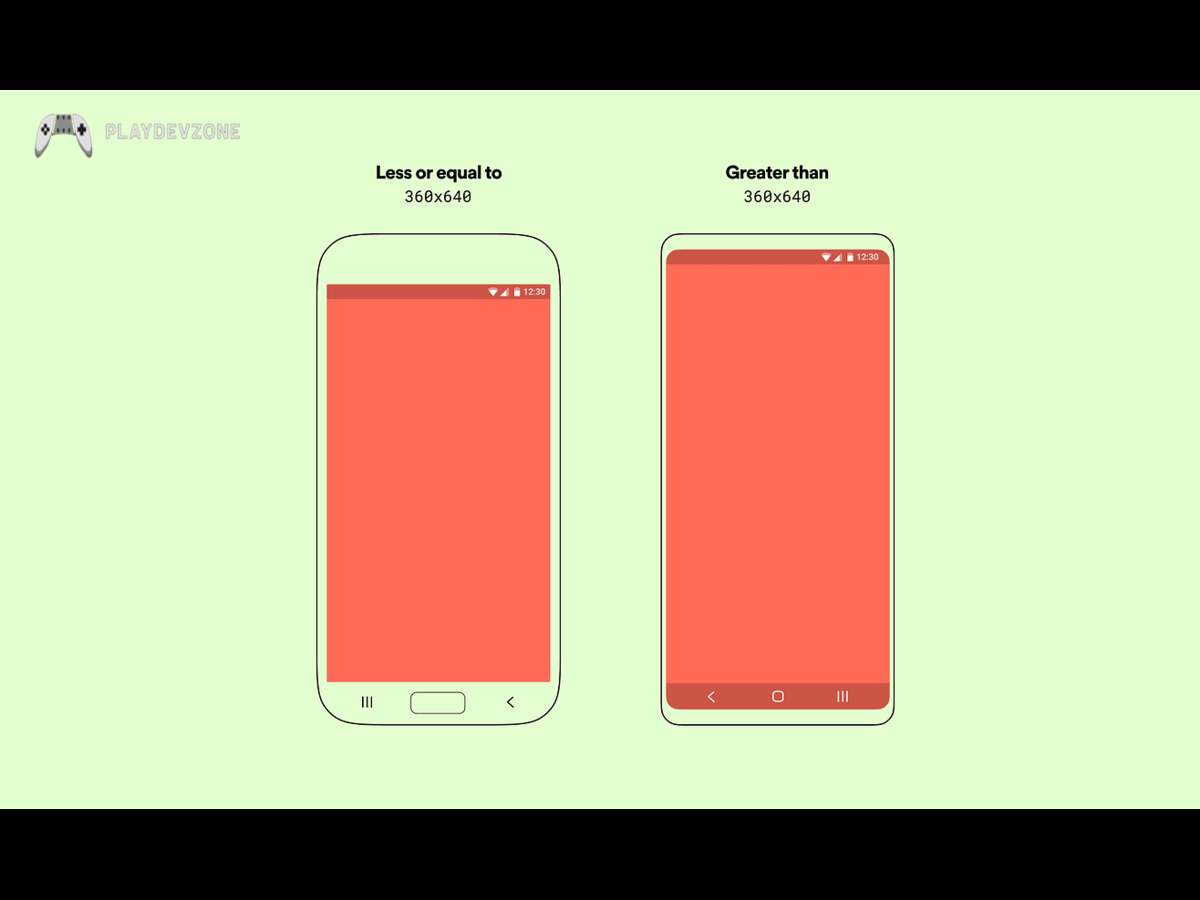
Mobile devices come in many different screen sizes and aspect ratios. A UI designed for one phone may not look correct on another.
Developers using Godot for mobile games should use responsive UI techniques and test different resolutions.
Important interface elements should remain accessible regardless of the screen dimensions. Text should be readable, buttons should be easy to tap, and gameplay should not become blocked by interface elements.
Landscape and portrait orientations should also be considered depending on the type of game.
A puzzle game may work well in portrait mode, while a platformer or racing game may benefit from landscape orientation.
Publishing a Godot Mobile Game
Creating a game is just one part of the overall game development process. Developers also need to prepare store listings, application icons, screenshots, descriptions, privacy information, age ratings, and release builds.
For Android, developers need to understand the requirements of the relevant app distribution platform. For iOS, Apple's publishing process has its own requirements.
Before publishing, developers should test the final build carefully.
Using Godot for mobile games does not remove the need for proper release preparation. A technically good game can still struggle if its store page is poorly presented or the application has bugs.
Common Mistakes Beginners Should Avoid
New mobile developers often make similar mistakes.
The first is starting with a project that is too ambitious. A first game should be small enough to finish.
The second is ignoring optimization until the final stage.
The third is testing only on a powerful development computer.
The fourth is creating complicated gameplay systems before the core game is fun.
The fifth is overlooking mobile UI and touchscreen usability.
Another common mistake is copying a popular game too closely instead of developing an original concept.
For anyone learning Godot for mobile games, completing a small project is often more valuable than starting five large projects and finishing none of them.
Is Godot Good for Indie Mobile Games?
For many indie developers, Godot is a strong option. It combines a free and open-source engine with tools for 2D and 3D development, scripting, animation, physics, UI, and platform export.
The biggest strength of Godot for mobile games is not that it automatically makes development easy.
Rather, it gives developers a practical environment in which they can learn, prototype, build, test, and improve games without requiring a large budget.
This is particularly valuable for solo developers who want to experiment with different ideas.
Advantages of Using Godot for Mobile Games
There are several reasons developers may choose Godot:
- Free and open-source development.
- Beginner-friendly workflow.
- Strong 2D development tools.
- Capable 3D development features.
- GDScript is relatively easy to learn.
- Scene-based project organization.
- Cross-platform development capabilities.
- Lightweight editor.
- Useful documentation.
- Suitable for indie and hobby projects.
- Good environment for rapid prototyping.
These benefits make Godot for mobile games worth considering for developers who want an accessible entry point into mobile game development.
Tips for Your First Godot Mobile Game
If you are new to mobile development, follow a simple learning path.
Start by learning the Godot editor and scene system. Then learn basic GDScript programming.
Create a small 2D project and learn how player movement works. After that, add collisions, enemies, scoring, menus, and audio.
Next, learn touchscreen controls and responsive UI.
Once the game works on desktop, move to mobile testing. Measure performance and fix problems before adding unnecessary features.
Finally, learn about Android or iOS publishing and prepare a complete release build.
This approach makes Godot for mobile games easier to learn because each stage introduces only a few new concepts.
Frequently Asked Questions
Is Godot good for mobile games?
Yes. Godot can be a good choice for mobile development, particularly for 2D games and small-to-medium indie projects.
It provides tools for gameplay programming, UI, animation, physics, and mobile platform export.
Is Godot beginner-friendly?
Yes. Godot is considered beginner-friendly because its editor and scene system are relatively easy to understand, while GDScript provides an approachable way to learn programming.
Can I make Android games with Godot?
Yes. Godot supports Android development and allows developers to export projects for Android devices after configuring the required development environment.
Can Godot make iOS games?
Yes. Godot supports iOS development, although developers need to follow Apple's development and publishing requirements.
Is Godot better than Unity for mobile games?
Neither engine is universally better. Unity has a larger ecosystem and extensive commercial resources, while Godot offers an open-source, lightweight, and beginner-friendly workflow. The best choice depends on the project.
Is Godot free?
Godot is free and open source. Developers can use it to create games without paying a traditional engine licensing fee.
Can Godot make 3D mobile games?
Yes. Godot supports 3D game development, although developers need to optimize graphics, lighting, physics, textures, and other systems carefully for mobile hardware.
Should beginners start with a 2D or 3D mobile game?
For most beginners, a small 2D game is a better starting point. It allows new developers to learn scenes, scripting, physics, UI, animation, and game design without dealing with the additional complexity of 3D graphics.
Conclusion
Choosing a game engine is one of the first major decisions for a new developer. The right engine should make it easier to experiment, learn, build prototypes, and eventually release complete projects.
For beginners and indie developers, Godot for mobile games offers an appealing combination of accessibility, flexibility, open-source development, 2D capabilities, 3D support, and mobile export options.
Godot is especially worth considering if your goal is to create a small or medium-sized Android or iOS game without investing heavily in engine licensing costs.
Its scene-based workflow and GDScript can also help beginners understand fundamental game development concepts.
The most important thing, however, is not simply choosing an engine. It is completing projects and learning from the development process.
Start with a small idea, build the core mechanics, test on real devices, optimize performance, improve the user interface, and gradually introduce more advanced features.
If you follow this approach, Godot for mobile games can provide a practical foundation for turning your first game concept into a playable mobile experience.