
Introduction
Multiplayer games are among the most engaging types of video games because they let players compete, cooperate, and communicate with others in real time.
From simple two-player projects to large online games with hundreds of players, multiplayer development can create exciting opportunities for beginner and experienced game developers.
If you are learning to make a multiplayer game in Unity, you don't need to start with a massive online project.
A small multiplayer prototype is a much better way to understand networking, player synchronization, lobbies, matchmaking, and server communication.
Unity provides tools and services that can simplify multiplayer development.
With the right workflow, you can build a basic multiplayer game, test it with multiple players, and gradually add advanced online features.
This guide explains how to make a multiplayer game in Unity step by step, including project planning, networking concepts, player synchronization, multiplayer testing, common mistakes, and optimization tips.
What Is a Multiplayer Game?
A multiplayer game allows two or more players to interact within the same game environment.
Depending on the game design, players may compete against each other, cooperate as a team, or interact within a shared virtual world.
Examples include:
- Multiplayer shooting games
- Racing games
- Online RPGs
- Cooperative adventure games
- Strategy games
- Fighting games
- Multiplayer platformers
- Casual mobile games
- Real-time sports games
The complexity depends on the number of players and the type of interaction required.
For example, a simple two-player board game can be much easier to develop than a real-time online shooter. Therefore, beginners should start with a small project before attempting a large multiplayer experience.
How To Make A Multiplayer Game In Unity: Basic Requirements
Before starting development, you should understand a few basic requirements.
You will need:
- Unity Hub
- A supported Unity version
- Basic C# knowledge
- Unity GameObjects and components knowledge
- Understanding of scenes and prefabs
- A multiplayer networking solution
- Multiple test clients or devices
- A stable internet connection for online testing
You should also understand basic programming concepts such as variables, functions, classes, events, and object-oriented programming.
If you are completely new to Unity, learning basic Unity development first will make multiplayer development much easier.
Choose The Right Multiplayer Architecture
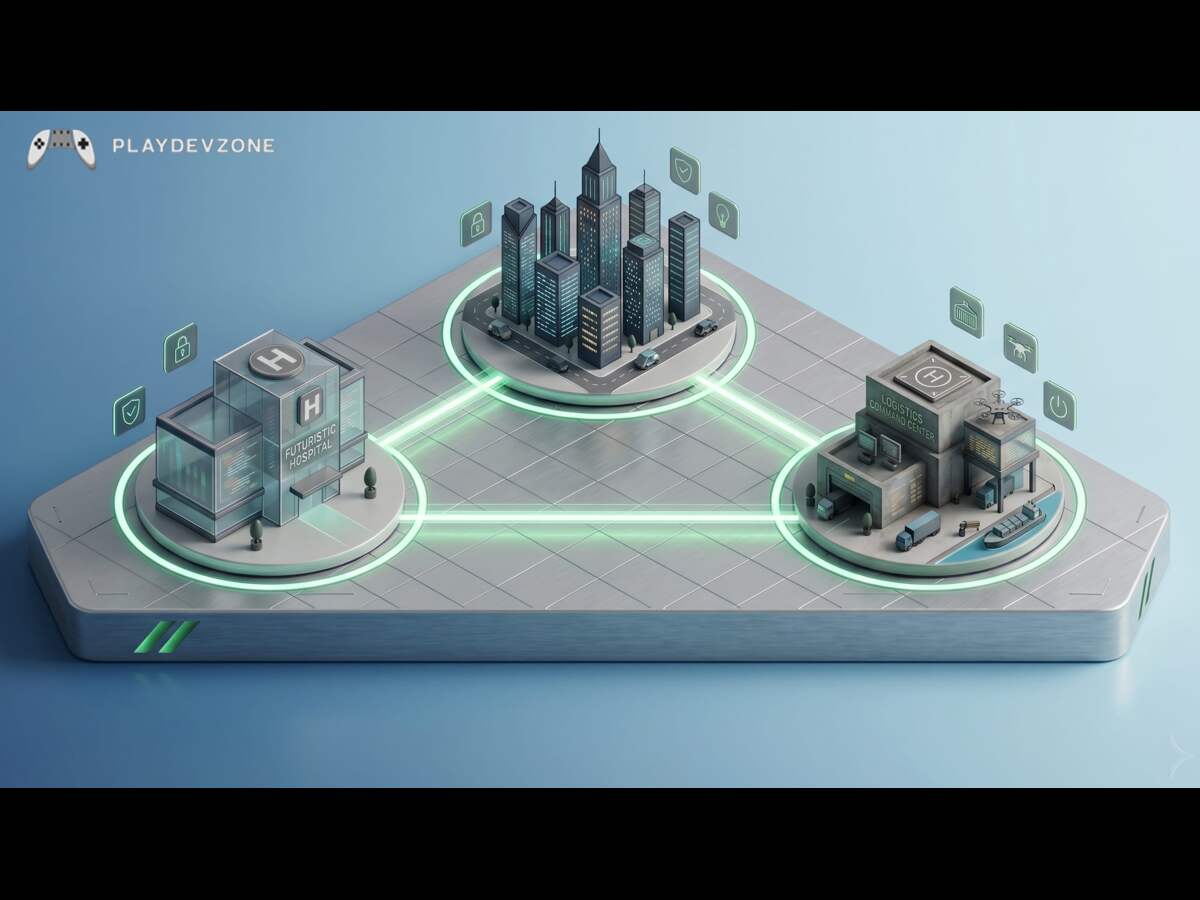
One of the most important decisions is choosing the networking architecture for your game.
Common multiplayer models include:
Peer-to-Peer
In a peer-to-peer system, players communicate more directly with each other instead of relying entirely on a dedicated server.
This approach can be useful for certain smaller multiplayer experiences, but it can introduce security, synchronization, and connection-management challenges.
Client-Server
In a client-server model, players connect to a central server that manages important game information.
The client usually handles the player's local interface and input, while the server can control important gameplay information.
This approach is widely used because it can provide better control over game state and cheating prevention.
Dedicated Server
A dedicated server runs the multiplayer game independently from the players' devices.
This architecture can be useful for competitive games and larger online experiences, although it generally requires more infrastructure and technical knowledge.
When learning how to make a multiplayer game in Unity, start with the simplest architecture that fits your project rather than designing an unnecessarily complicated system.
Choose A Unity Networking Solution
Unity multiplayer development requires networking functionality to communicate game information between connected players.
Depending on your project and Unity version, you may use Unity's multiplayer technologies and services or a third-party networking framework.
A networking solution can help with:
- Connecting players
- Spawning networked objects
- Synchronizing player movement
- Sending gameplay data
- Managing network sessions
- Handling remote players
- Creating lobbies
- Managing multiplayer connections
Before selecting a networking solution, consider your game's player count, platform, latency requirements, server architecture, and development experience.
The most important thing is to choose a technology that is actively supported and compatible with the Unity version you are using.
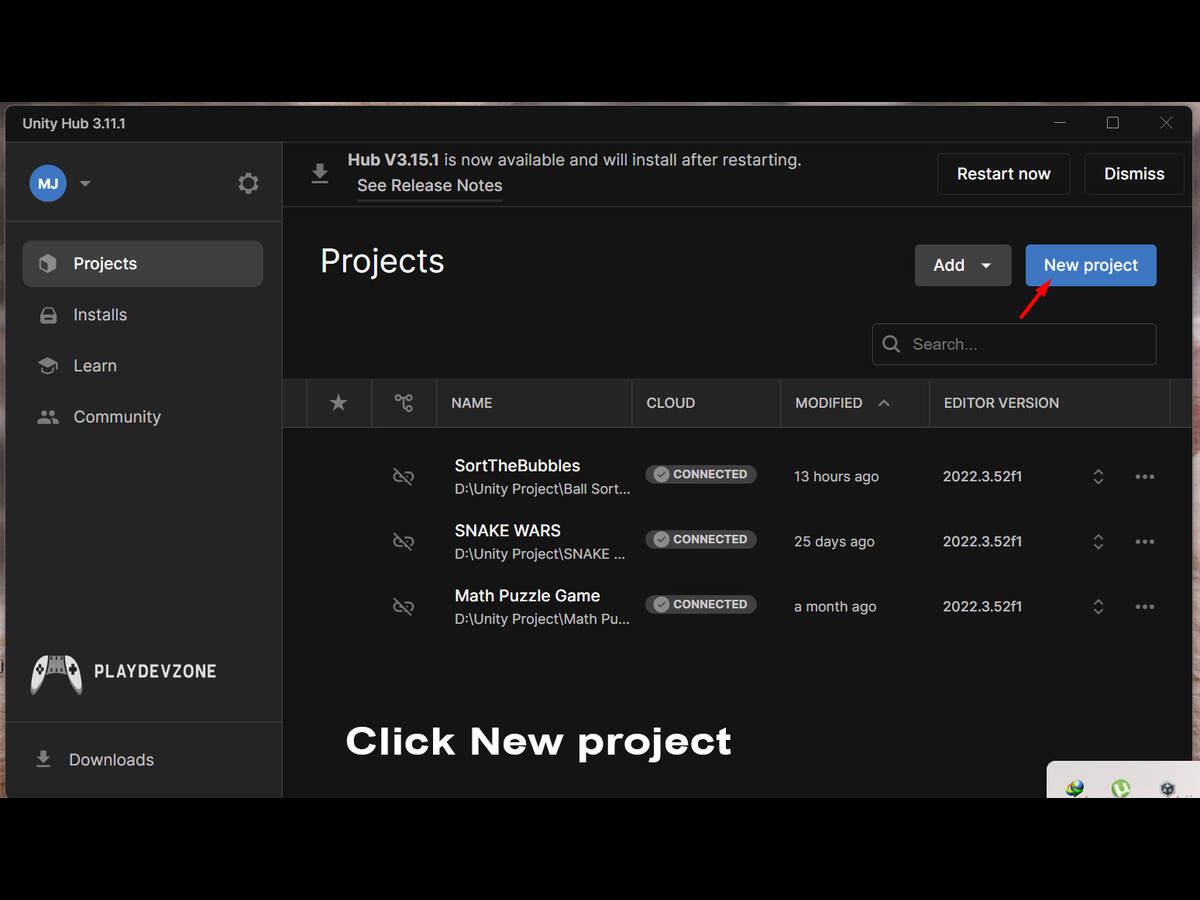
Step 1: Create A New Unity Project
Start by creating a new Unity project.
For a beginner multiplayer project, you can choose a simple 3D template. You do not need advanced graphics because the main objective is to understand networking.
Create a basic scene containing:
- A ground plane
- A camera
- Lighting
- A player prefab
- Some simple obstacles
- A spawn area
Keep the first version small.
Your initial goal should be to prove that multiple players can connect and see each other inside the same game.
Step 2: Create A Player Character
Create a basic player GameObject.
You can use a capsule or simple character model during development. Add the required components for movement and collision.
A simple player might contain:
- Transform
- Collider
- Rigidbody or Character Controller
- Player movement script
- Camera
- Network-related components
Do not spend too much time creating beautiful character models at this stage.
A functional multiplayer prototype is more valuable than a visually impressive project that cannot synchronize correctly.
Step 3: Convert The Player Into A Networked Object
The next important step is making your player network-aware.
A normal Unity GameObject exists locally inside one game instance.
A networked GameObject needs to be recognized by the multiplayer system so that its state can be communicated between connected players.
Depending on your networking framework, you may need to:
- Add the appropriate network component.
- Register the player prefab.
- Configure ownership.
- Configure network spawning.
- Define which properties should synchronize.
- Connect the player to the network session.
This is one of the most important concepts when learning how to make a multiplayer game in Unity.
Step 4: Understand Player Ownership
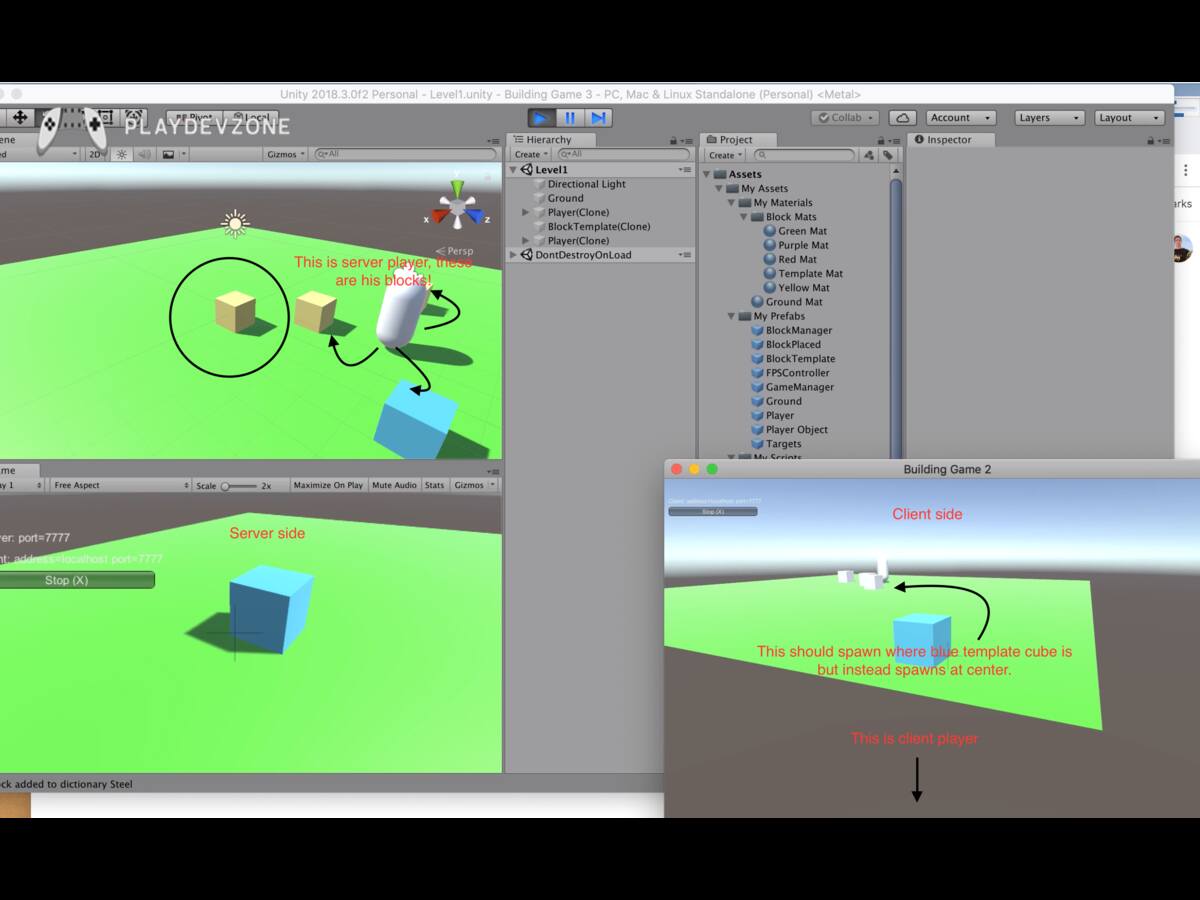
Ownership determines which player or authority controls a networked object.
For example, Player A should normally control Player A's character, while Player B controls Player B's character.
Without proper ownership, multiple clients may attempt to control the same object.
A typical multiplayer system needs to distinguish between:
- Local player
- Remote player
- Server authority
- Client authority
- Networked objects
Understanding ownership will help you prevent many common multiplayer bugs.
Step 5: Synchronize Player Movement
Once players can connect, you need to synchronize movement.
Suppose Player A moves forward.
Player A's computer detects the input. The networking system then communicates the relevant movement information so other connected clients can display Player A at the appropriate position.
The same process happens for Player B.
However, multiplayer movement is not simply about sending the Transform position every frame.
Sending excessive data can increase bandwidth usage and create performance problems.
A good networking system considers:
- Network tick rate
- Interpolation
- Prediction
- Server authority
- Latency
- Packet loss
- Movement smoothing
For a beginner project, start with a simple synchronization system and improve it as your understanding grows.
Step 6: Add A Multiplayer Game Manager
A multiplayer game manager can control important aspects of the online session.
Depending on the project, it may manage:
- Player spawning
- Match state
- Game timer
- Score
- Team assignment
- Match start
- Match ending
- Player disconnection
- Respawning
Keeping multiplayer session logic organized makes your project easier to maintain.
Instead of putting every multiplayer function inside the player script, separate responsibilities between appropriate systems.
Step 7: Create Player Spawning
Your game needs to know where each player should appear.
Create multiple spawn points in your scene.
For example:
- Spawn Point 1
- Spawn Point 2
- Spawn Point 3
- Spawn Point 4
When a player joins the match, the game can assign an available spawn position.
For competitive games, random or strategically selected spawn points can prevent players from appearing directly on top of each other.
For team-based games, you can create separate spawn areas for each team.
Step 8: Add A Lobby System
A lobby allows players to prepare before entering an actual match.
A basic lobby may include:
- Player name
- Player list
- Ready button
- Room information
- Start match button
- Connection status
A more advanced lobby can support:
Public rooms
Private rooms
Password-protected rooms
Friends
Invitations
Matchmaking
A lobby is especially useful for games where players need to gather before the match begins.
Step 9: Add Matchmaking
Matchmaking connects players who want to play the same game.
A simple matchmaking system might search for available players and place them into a session.
More advanced matchmaking can consider:
- Region
- Skill level
- Connection quality
- Game mode
- Team size
- Player count
If you are learning how to make a multiplayer game in Unity, do not build complicated matchmaking first.
Start with a direct connection or simple lobby, then introduce matchmaking after your basic multiplayer system works.
Step 10: Synchronize Game Data
Player movement is only one part of multiplayer synchronization.
You may also need to synchronize:
- Health
- Score
- Weapons
- Items
- Animation states
- Projectiles
- Doors
- Objectives
- Match timers
- Player status
For example, if Player A picks up an item, Player B should also see that the item has been collected.
This means the game's important state needs to be managed consistently across connected clients.
How To Test A Multiplayer Game In Unity
Testing is one of the most important stages of multiplayer development.
A game that works perfectly in a single Unity Editor instance may behave differently when multiple clients are connected.
You should test:
- Two players
- Three or more players
- Joining
- Leaving
- Reconnecting
- Player movement
- Player spawning
- Player death
- Item collection
- Match ending
- Network interruptions
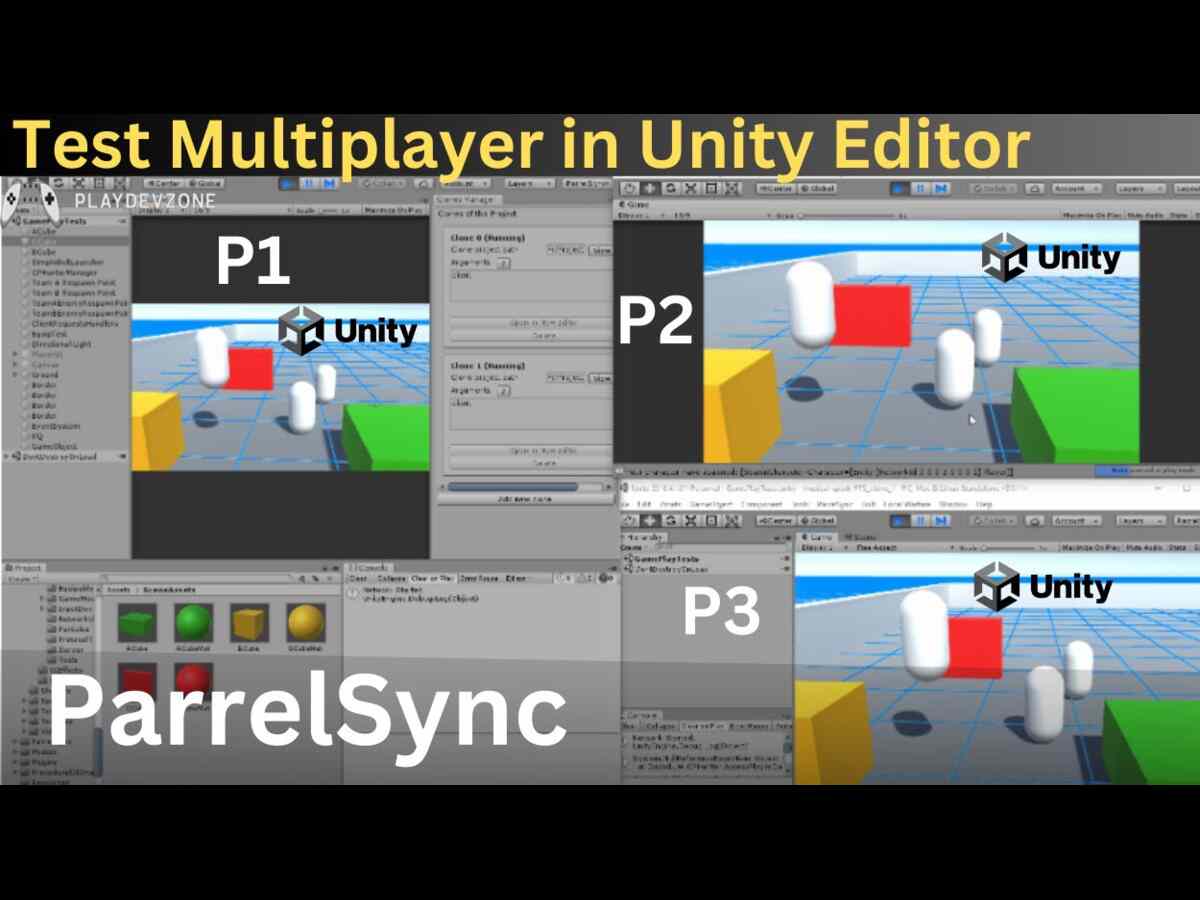
You can use multiple builds or suitable multiplayer testing tools depending on your development environment.
Testing with multiple clients helps you discover synchronization problems that are difficult to identify during single-player testing.
Common Multiplayer Problems In Unity
When learning how to make a multiplayer game in Unity, you will probably encounter several common problems.
Players Cannot See Each Other
This can happen when the player prefab is not correctly configured for network spawning.
Check your network object configuration and prefab registration.
Player Movement Is Not Synchronized
This can occur when movement is being handled only locally.
Make sure the appropriate movement state is being synchronized according to your networking architecture.
Both Players Control The Same Character
This is often an ownership problem.
Check which client has authority over each player object.
Players Spawn At The Same Position
Create multiple spawn locations and assign them correctly when players join.
Game State Is Different On Each Client
Important game state should have a clear authority model.
Determine which information is controlled by the server and which information can safely be controlled locally.
How To Make A Multiplayer Game In Unity More Efficient
Performance becomes increasingly important as your multiplayer project grows.
Here are some useful optimization practices:
Send Only Necessary Data
Do not synchronize information that other players do not need.
Reducing unnecessary network traffic can improve performance.
Use Interpolation
Interpolation can make remote player movement appear smoother when updates arrive at intervals.
Avoid Excessive Network Calls
Sending too many messages can increase bandwidth consumption and server workload.
Optimize Networked Objects
Only network objects that genuinely require synchronization.
Keep Server Logic Efficient
Server performance can affect every connected player, so avoid unnecessary calculations and excessive processing.
How To Make A Multiplayer Game In Unity For Beginners
If you are a beginner, avoid starting with a complex MMO or competitive shooter.
A better learning path is:
- Learn Unity basics.
- Learn C# fundamentals.
- Create a simple single-player game.
- Learn networking concepts.
- Create a two-player prototype.
- Synchronize player movement.
- Add player spawning.
- Add simple game rules.
- Add a lobby.
- Test with multiple clients.
- Optimize network traffic.
- Add advanced multiplayer features.
This approach makes how to make a multiplayer game in Unity much easier to understand because you learn each concept separately.
Common Mistakes To Avoid
Beginners often make the mistake of trying to add every multiplayer feature at once.
Avoid building:
- Chat
- Friends
- Matchmaking
- Ranking
- Voice chat
- Inventory
- Shops
- Leaderboards
- Clans
before your basic multiplayer connection works.
First prove that two players can connect, spawn, move, interact, and complete a basic match.
Once that works reliably, expand the project.
Is Unity Good For Multiplayer Games?
Yes, Unity can be a strong choice for multiplayer development, especially for developers who want to create games for multiple platforms.
Unity offers a large ecosystem, extensive documentation, a large developer community, and networking technologies that can help developers create connected games.
However, Unity itself does not automatically solve every networking problem.
You still need to understand:
- Network architecture
- Latency
- Synchronization
- Authority
- Server infrastructure
- Security
- Matchmaking
- Player sessions
The engine provides development tools, but good multiplayer design still depends on the developer.
Frequently Asked Questions
Can I make a multiplayer game in Unity as a beginner?
Yes. Beginners can build multiplayer games in Unity by starting with a small two-player project. Learn basic Unity and C# first, then gradually introduce networking.
How hard is it to make a multiplayer game in Unity?
It can be relatively simple to create a basic multiplayer prototype, but advanced online games are significantly more difficult.
Networking, security, synchronization, servers, and matchmaking add complexity.
Can Unity make online multiplayer games?
Yes. Unity can be used to create online multiplayer games for platforms such as PC, mobile, and consoles.
The exact networking technology should be selected based on your game's requirements.
How many players can a Unity multiplayer game support?
There is no single player limit that applies to every Unity multiplayer game.
Capacity depends on the networking architecture, server infrastructure, game design, bandwidth, optimization, and hardware.
Can I make a multiplayer mobile game with Unity?
Yes. Unity is commonly used for mobile game development, and multiplayer functionality can be added to Android and iOS projects.
Mobile network quality should be considered carefully during development.
What should I learn before multiplayer development?
Start with Unity fundamentals, C# programming, GameObjects, prefabs, scenes, physics, UI, and basic game design.
Networking concepts can then be introduced gradually.
Conclusion
Learning how to make a multiplayer game in Unity can seem complicated at first, but the process becomes much easier when you divide the project into small and manageable systems.
Start with a simple two-player prototype. Make sure players can connect, spawn, move, interact, and complete a basic game session.
After that, you can introduce features such as lobbies, matchmaking, teams, chat, scoring, progression, and other online systems.
The most important lesson is to build your multiplayer architecture around the actual requirements of your game.
A small cooperative game does not need the same infrastructure as a competitive online shooter.
With consistent practice, careful testing, and a good understanding of networking fundamentals, you can move from a basic multiplayer prototype to a much more advanced Unity online game.
If your goal is to become a professional Unity developer, multiplayer development is a valuable skill because it combines game programming, networking, architecture, optimization, and online game design.