
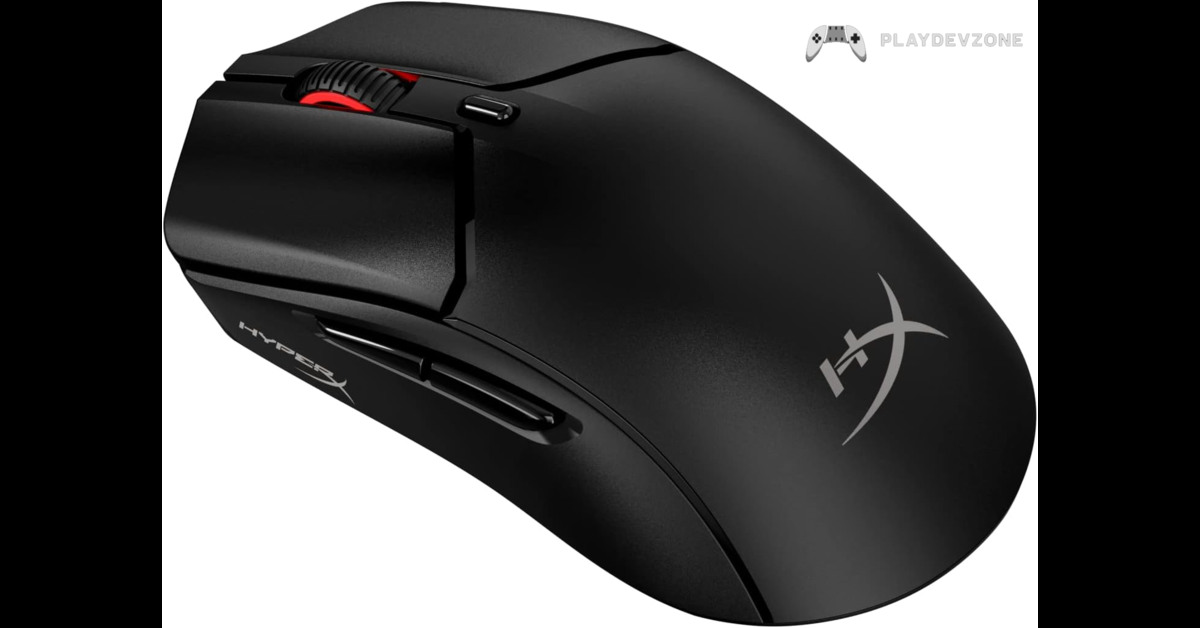
Introduction
Whether you're an FPS enthusiast, an esports competitor, or a casual gamer, every movement of your gaming mouse can make the difference between winning and losing.
While many players focus on sensors, DPI settings, and switches, one essential component is often overlooked: HyperX Pulsefire Haste 2 Skates.
Mouse skates, also known as mouse feet, are the smooth PTFE pads attached to the bottom of your gaming mouse.
They reduce friction between your mouse and the mouse pad, allowing for faster, smoother, and more consistent movement. Over time, stock skates wear down, become uneven, and can negatively affect tracking accuracy.
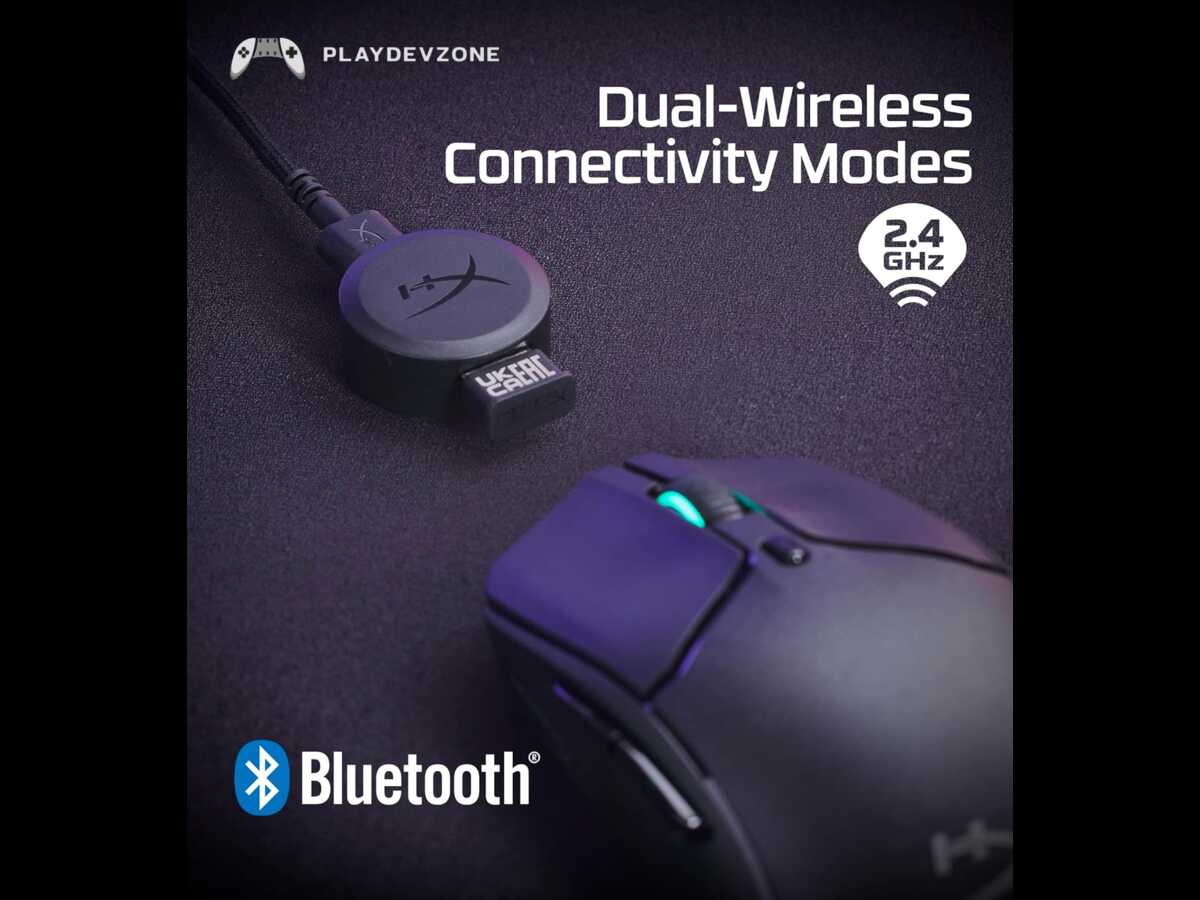
If you own the HyperX Pulsefire Haste 2 Wireless Gaming Mouse, replacing the original skates with high-quality aftermarket options is one of the easiest and most affordable upgrades you can make.
Premium PTFE skates provide smoother gliding, improved precision, and greater control during intense gaming sessions.
In this guide, you'll learn everything you need to know about choosing the best HyperX Pulsefire Haste 2 Skates, including the different types available, key features to consider, installation tips, maintenance advice, and recommendations for gamers looking to improve their overall mouse performance.
Whether you're playing Valorant, CS2, Apex Legends, Fortnite, or Call of Duty, the right mouse skates can significantly enhance your gaming experience without replacing your entire mouse.
Why Trust This Guide?
This guide is designed for gamers who want practical buying advice instead of marketing hype. It focuses on the features that actually affect performance, including:
PTFE material quality
Glide speed
Stopping control
Durability
Installation ease
Compatibility with the HyperX Pulsefire Haste 2 Wireless Gaming Mouse
Value for money
Rather than recommending products based only on brand popularity, this guide explains what makes a good set of mouse skates and how to choose the right option for your gaming style.
Who Should Read This Guide?
This article is perfect for:
Competitive FPS gamers
Esports players
Casual PC gamers
Streamers
Mouse enthusiasts
Anyone using the HyperX Pulsefire Haste 2 Wireless Gaming Mouse
Users planning to replace worn-out mouse feet
What Are HyperX Pulsefire Haste 2 Skates?
If you've ever noticed your mouse feeling slower, scratchier, or less responsive over time, worn-out mouse skates could be the reason.
HyperX Pulsefire Haste 2 Skates are the smooth pads attached to the bottom of the HyperX Pulsefire Haste 2 Wireless Gaming Mouse.
They are designed to reduce friction between your mouse and mouse pad, allowing effortless movement and accurate tracking.
Most stock skates are made from virgin PTFE (Polytetrafluoroethylene), a low-friction material commonly used in premium gaming mice.
As these skates wear down, they lose their smoothness, making mouse movement feel inconsistent. Replacing them with high-quality aftermarket skates restores the original glide and, in many cases, improves it.
For competitive gamers, even a small improvement in glide can enhance aim consistency and overall comfort during long gaming sessions.
Why Do Mouse Skates Matter?
Many gamers spend hundreds of dollars on gaming mice, mechanical keyboards, and high-refresh-rate monitors, yet overlook one of the most affordable performance upgrades: replacing worn mouse skates.
Quality HyperX Pulsefire Haste 2 Skates can provide:
Smoother movement across the mouse pad
Better tracking consistency
More accurate flick shots
Reduced hand fatigue
Less friction during fast swipes
Improved control for precision aiming
Whether you play tactical shooters or fast-paced battle royale games, smoother movement helps you react more naturally and confidently.
Benefits of Upgrading Your Mouse Skates
Replacing your stock mouse feet with premium PTFE skates offers several advantages.
1. Faster Glide
Premium PTFE skates create less friction than worn stock feet. Your mouse moves effortlessly across cloth, hybrid, or hard mouse pads.
This makes rapid flicks easier in games like:
Counter-Strike 2
Valorant
Apex Legends
Fortnite
Rainbow Six Siege
2. Better Precision
When friction is reduced, every hand movement feels more predictable.
This helps improve:
Crosshair placement
Tracking moving targets
Micro-adjustments
Long-range aiming
Recoil control
Competitive players especially benefit from the increased consistency.
3. Longer Lifespan
High-quality aftermarket skates are usually made with 100% virgin PTFE, which is more durable than many standard stock skates.
Benefits include:
Slower wear
More consistent glide
Better long-term value
Reduced need for frequent replacements
4. Improved Comfort
Dragging a worn-out mouse across the pad requires more effort.
Fresh skates reduce resistance, making long gaming sessions more comfortable and reducing wrist fatigue.
Stock vs Aftermarket Mouse Skates
Many gamers wonder whether replacing the original skates is actually worth it.
Here's a quick comparison:
Feature
Glide Speed
Friction
Durability
Smoothness
Precision
Competitive Gaming
Stock Skates
Good
Medium
Average
Good
Good
Competitive Gaming
Premium PTFE Skates
Excellent
Very Low
High
Superior
Better
Highly Recommended
Types of Mouse Skates
Not every mouse skate is designed the same way.
Rounded Edge PTFE Skates
Rounded edges glide more smoothly over the mouse pad without catching on the surface.
Advantages:
* Faster movement
* Better comfort
* More consistent glide
* Less scratching
Control Skates
Control skates are slightly slower but offer greater stopping power.
Ideal for:
* Tactical FPS games
* Precision aiming
* Low-sensitivity players
Speed Skates
Speed skates are designed for effortless movement.
Best for:
* Fast-paced shooters
* Battle royale games
* MOBA games
* High-speed tracking
Glass Mouse Skates
Glass skates are another option available for some gaming mice.
Pros:
* Extremely smooth
* Long-lasting
Cons:
* Higher price
* Not suitable for every mouse pad
* Less control for some players
For most gamers, premium PTFE skates remain the best balance of speed, control, and affordability.
Signs It’s Time to Replace Your Mouse Skates
You don't have to wait until your mouse becomes unusable.
Replace your skates if you notice:
* Scratching sounds
* Uneven movement
* Visible wear
* Rough edges
* Slower glide
* Inconsistent aiming
* Mouse feels "sticky"
These signs indicate that your current skates have worn down and should be replaced.

Are Premium PTFE Skates Worth It?
For most gamers, the answer is yes.
Compared to buying an entirely new gaming mouse, replacing the skates is inexpensive while still providing a noticeable improvement in feel and performance.
If you already own the HyperX Pulsefire Haste 2 Wireless Gaming Mouse, upgrading to high-quality PTFE skates is one of the easiest ways to keep your mouse performing at its best.
How to Choose the Best HyperX Pulsefire Haste 2
Choosing the right HyperX Pulsefire Haste 2 Skates can make a noticeable difference in your gaming experience.
While many replacement skates look similar, they vary in material quality, glide speed, durability, and overall performance.
If you're upgrading your mouse feet for the first time, focus on the following features before making a purchase.
1. Choose 100% Virgin PTFE Material
The most important feature is the material.
High-quality skates are made from 100% virgin PTFE (Polytetrafluoroethylene), which offers the lowest friction and the smoothest glide.
Benefits of Virgin PTFE
Faster mouse movement
Better tracking accuracy
Consistent glide
Long lifespan
Less friction on cloth mouse pads
Avoid low-quality mixed-plastic skates, as they wear out quickly and don't provide the same level of performance.
2. Look for Rounded Edges
Premium skates usually feature rounded edges.
Rounded edges allow the mouse to glide smoothly without scratching or catching on the mouse pad.
Why Rounded Edges Matter
Smoother movement
Reduced friction
Better comfort
Improved control
More consistent performance
3. Thickness and Fit
The best HyperX Pulsefire Haste 2 Skates should match the original dimensions of your mouse.
A precise fit ensures:
Accurate sensor positioning
Stable tracking
Proper glide
Easy installation
Always verify that the skates are specifically designed for the HyperX Pulsefire Haste 2 Wireless Gaming Mouse.
4. Durability
A good set of skates should last for months of regular gaming.
Premium PTFE skates resist wear better than standard stock feet, maintaining their smooth glide over time.
5. Gaming Style
Different gamers prefer different glide characteristics.
Speed Skates
Best for:
Valorant
CS2
Apex Legends
Overwatch 2
These provide fast movement with minimal friction.
Control Skates
Ideal for:
Tactical FPS games
Precision aiming
Low DPI users
They offer slightly more stopping power while maintaining smooth movement.
Best HyperX Pulsefire Haste 2 Skates
Below are some of the most trusted replacement skates for the HyperX Pulsefire Haste 2.
1. Corepad Skatez (Editor’s Choice)
Best For: Overall Performance
Pros
100% virgin PTFE
Smooth glide
Rounded edges
Excellent durability
Easy installation
Cons
Slightly more expensive than budget options
Why Buy?
Corepad Skatez are widely regarded as one of the best upgrades for competitive gamers, offering an excellent balance of speed and control.
2. Esports Tiger ICE
Best For: Maximum Speed
Pros
Extremely smooth glide
Premium PTFE
Great for FPS games
High-quality finish
Cons
Faster glide may require an adjustment period
Perfect for players who prefer quick flick shots and rapid tracking.
3. X-Raypad Jade Skates
Best For: Balanced Performance
Pros
Excellent control
Smooth movement
High durability
Premium finish
Cons
Availability varies by region
A solid option for gamers who want a balance between speed and precision.
4. Hotline Games Mouse Feet
Best Budget Choice
Pros
Affordable
Reliable performance
Good glide
Easy to install
Cons
Slightly less durable than premium brands
An excellent choice for casual gamers looking for good value.
How to Install HyperX Pulsefire Haste 2 Skates
Installing new HyperX Pulsefire Haste 2 Skates is a simple process that usually takes less than 15 minutes. Taking your time during installation helps ensure the new skates perform as intended and last longer.
Tools You'll Need
Before you begin, gather the following:
Replacement PTFE skates
Plastic pry tool or guitar pick
Tweezers
Microfiber cloth
Cotton swab
Isopropyl alcohol (90% or higher recommended)
Avoid using metal tools, as they can scratch the mouse shell.
Step 1: Remove the Old Skates
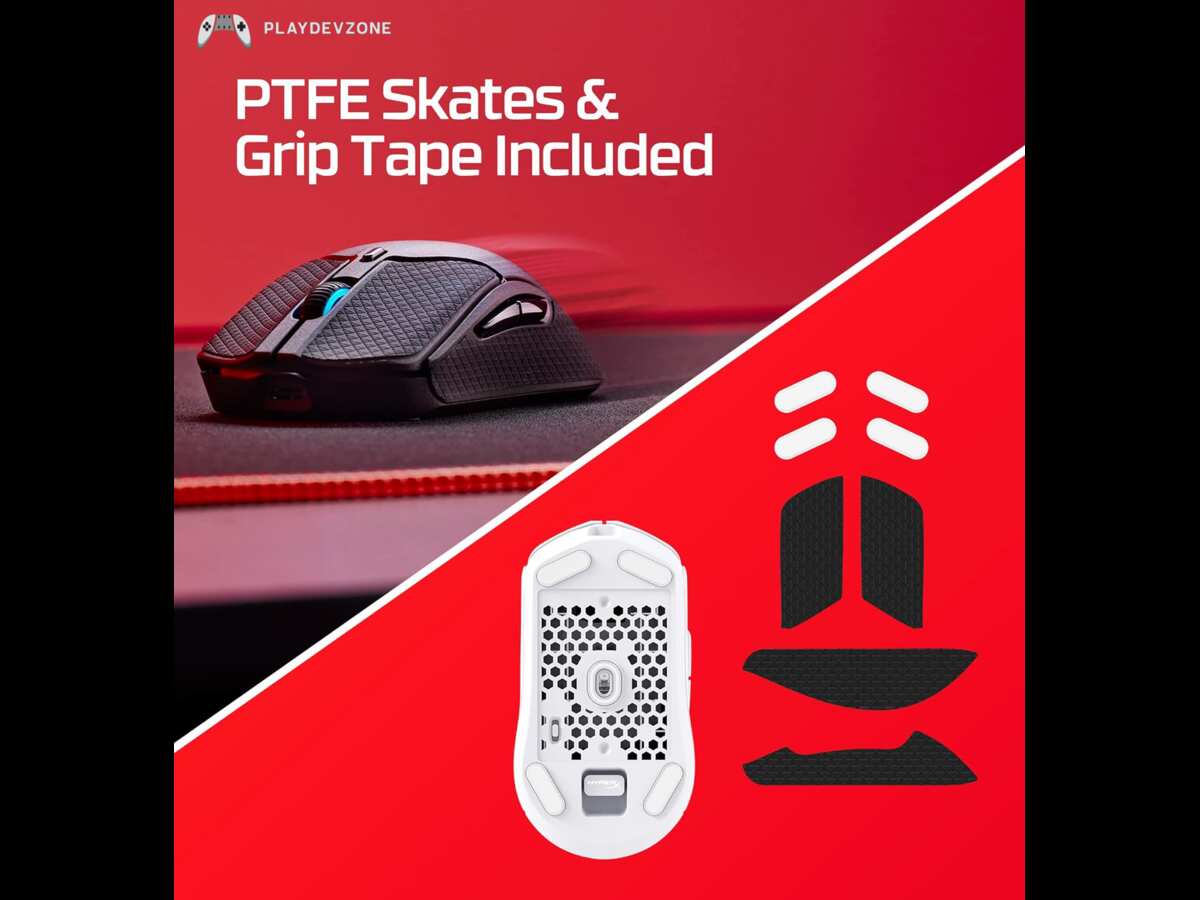
Carefully lift one corner of each old skate using a plastic pry tool or guitar pick.
Once the edge is raised, gently peel the skate away from the mouse.
If it feels difficult to remove, avoid forcing it. A little patience will prevent damage to the mouse.
Step 2: Apply the New Skates
Peel the protective backing from the new skates without touching the adhesive.
Carefully align each skate with its matching position on the mouse base, then press gently for several seconds.
Make sure each skate sits flat without gaps or lifted edges.
Step 3: Allow the Adhesive to Set
Although many skates can be used immediately, waiting around 30 to 60 minutes allows the adhesive to bond more securely.
This helps prevent the skates from shifting during the first few gaming sessions.
Breaking In New Mouse Skates
Fresh PTFE skates often feel different from worn-out ones.
During the first few hours of use, the edges gradually smooth out, and the glide becomes more consistent.
Most gamers notice the best performance after one to three days of regular use.
Tips to Make Your Mouse Skates Last Longer
Even the best skates wear over time, but proper care can extend their lifespan.
Keep Your Mouse Pad Clean
Dust, hair, and dirt increase friction and accelerate wear.
Clean your mouse pad regularly using the manufacturer's recommended method.
Wipe the Mouse Feet
Use a soft microfiber cloth to remove dust from the skates after gaming sessions.
Keeping the skates clean helps maintain smooth movement.
Avoid Rough Surfaces
Gaming mice should only be used on quality mouse pads.
Using them directly on wooden desks, glass, or rough surfaces can wear the skates much faster.
Replace Worn Mouse Pads
A worn-out mouse pad can reduce the effectiveness of even the best replacement skates.
If your pad has uneven texture or damaged areas, replacing it may improve overall performance.
Common Mistakes to Avoid
Many users accidentally reduce the lifespan of their replacement skates by making simple mistakes.
Avoid these common errors:
Using Metal Tools
Metal screwdrivers or knives can scratch the mouse body.
Always use a plastic tool.
Leaving Adhesive Residue
Old adhesive prevents the new skates from sitting flat.
Always clean the surface thoroughly before installation.
Touching the Adhesive
Finger oils reduce adhesive strength.
Handle the skates by the edges whenever possible.
Misaligning the Skates
Incorrect placement can affect glide and sensor performance.
Double-check alignment before pressing them into place.
Ignoring Wear Signs
Replacing skates before they become severely worn helps maintain consistent gaming performance.
Who Should Upgrade Their Mouse Skates?
Replacing your mouse feet is a worthwhile upgrade if you:
Play competitive FPS games
Want smoother mouse movement
Notice inconsistent tracking
Feel increased friction during gameplay
Have heavily worn stock skates
Spend long hours gaming each week
Even casual gamers can benefit from a smoother, more comfortable experience.
Performance Improvements You Can Expect
While replacement skates won't magically improve your gaming skills, they can make your mouse feel more responsive and consistent.
Many users report improvements such as:
Easier flick shots
More precise tracking
Reduced hand fatigue
Better micro-adjustments
Smoother movement across the mouse pad
Improved control during fast-paced gameplay
These benefits are especially noticeable in games that require quick reactions and accurate aiming.
FAQ (Frequently Asked Questions)
Performance Improvements You Can Expect
HyperX Pulsefire Haste 2 Skates are replacement mouse feet designed for the HyperX Pulsefire Haste 2 Wireless Gaming Mouse.
They reduce friction, improve glide, and help deliver smoother, more accurate mouse movement during gaming.
Are aftermarket PTFE skates better than the original skates?
Yes. Premium aftermarket skates made from 100% virgin PTFE often provide smoother glide, better durability, and more consistent tracking than standard stock skates.
Many competitive gamers prefer brands like Corepad, Tiger ICE, and X-Raypad.
How long do HyperX Pulsefire Haste 2 skates last?
The lifespan depends on your gaming habits, mouse pad surface, and maintenance.
For most users, quality PTFE skates last several months before showing noticeable wear.
Can I install replacement skates myself?
Yes. Installing replacement skates is simple and usually takes around 10–15 minutes.
Just remove the old skates, clean the surface thoroughly, and apply the new skates carefully.
Do new mouse skates improve gaming performance?
New skates won't instantly improve your skills, but they can provide smoother movement, better tracking, and more consistent control.
This can make aiming and mouse movement feel more precise, especially in FPS games.
Which material is best for gaming mouse skates?
100% Virgin PTFE is widely considered the best material because it offers excellent glide, low friction, and long-lasting performance across different mouse pad surfaces.
Conclusion
If you're looking for one of the easiest and most affordable ways to improve your gaming experience, upgrading your HyperX Pulsefire Haste 2 Skates is a smart investment.
High-quality PTFE skates can restore smooth glide, reduce friction, and help your mouse feel more responsive without replacing the entire device.
When choosing replacement skates, focus on material quality, precise fit, rounded edges, and durability.
Whether you're a competitive FPS player or a casual gamer, premium skates can make everyday gameplay feel smoother and more comfortable.
With proper installation and regular maintenance, a good set of replacement skates will continue delivering reliable performance for months.